
How It Works !!
Guideline For Registration
IAPSM Member Information System (IMIS) is created for
- Online application for joining the IAPSM as life members for new candidates,
- First time registration in case of old members,
- Updating information in case of old members,
- Communication to registered members,
- Online voting (e voting).
Instructions for first time registering by IAPSM members:
- For members who are already IAPSM member they have to register with the system for the first time.
- Before starting registration, members should have to keep soft copies of his/her photo and scanned pdf/jpg file of Photo id proof. (i.e. Passport, Aadhar card, Driving license, etc.) ready with himself/herself.
Steps of registration:
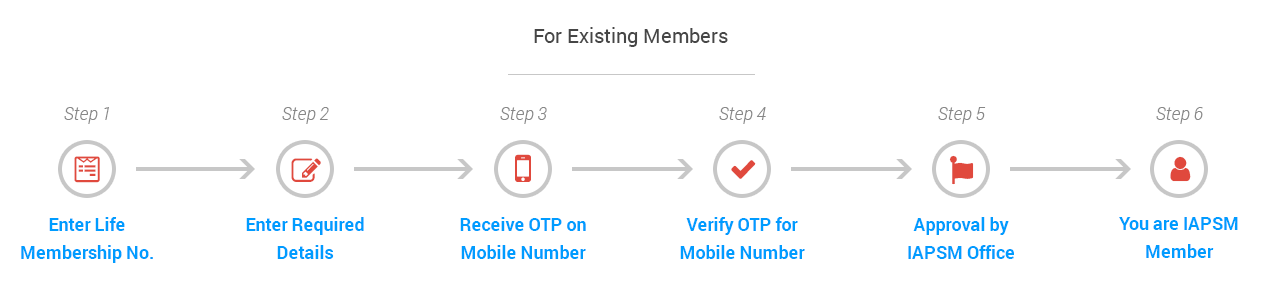
After entering as a member of IAPSM in IMIS, existing member has to enter his/her Life membership number.
- Step 1: Enter your life membership number.
- Step 2: Enter one email id and mobile number and other details.
- Step 3: Click the OTP button after entering your mobile and e mail id.
- Step 4: Enter OTP received on mobile number and/or email id.
- Step 5: Once registration has been completed, click the “SUBMIT” button.
- Step 6: IAPSM Head Office will verify and approve it.
Instructions for registering as a new IAPSM life member:
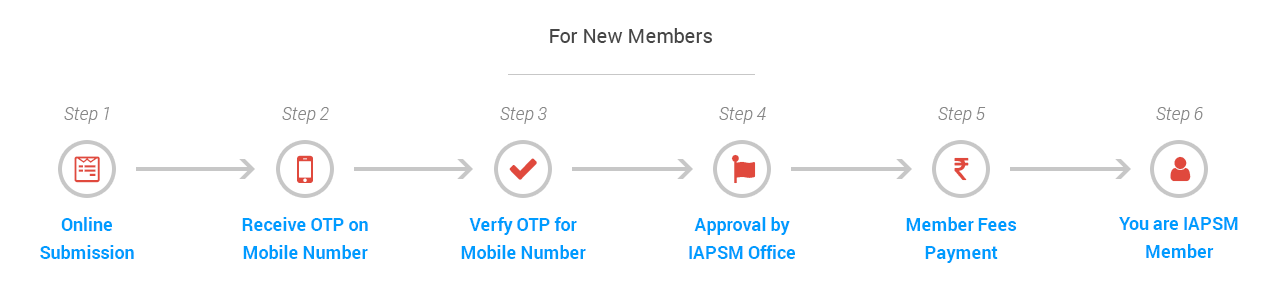
For eligible candidates / applicant who wish to be IAPSM life member, they will have to register in the IMIS as new member.
Before starting registration, applicant should have to keep following documents:
- Soft copies of his/her photo,
- Scanned pdf/jpg file of Photo id proof (Passport, Aadhar card, Driving license, etc.)
- Supportive documents with degree certificate.
- Step 1: Enter all the detail as per the given field.
- Step 2: Upload scanned copy of IAPSM Life membership form.
- Step 3: Click the “SUBMIT” button.
- Step 4: IAPSM Head Office will verify credentials.
- Step 5: Submit the members fees after approval.
- Step 6: Once payment confirmed, member registration will complete.
All the communications will be sent to your Mobile (OTP verification) and email address entered during registration.
Please add donot-reply@iapsm.org and donot-reply@accreteinfo.com in your address book.